Fixing Broken Links: What Causes 404 Error on Website?

Missing pages create HTTP 404 status codes. Unhandled content moves leave broken paths. Misconfigured servers block file requests. Plugin conflicts disrupt site routing. Regular site audits and 301 redirects preserve traffic.
Managing a busy web server often feels like playing traffic cop on a stormy afternoon. Uncovering what causes 404 error on website pages helps us protect user trust, keep bounce rates low, and maintain high search rankings.
Understanding Dead End Pages Keeps Your Website Intact
Ignoring broken links on your domain is like letting leaky pipes ruin your living room floor. Grasping what causes 404 error on website setups saves you from losing valuable sales, protects your search engine rankings, and prevents frustrated visitors from running straight into the arms of your nearest competitor.
The Most Common Root Causes of Missing Pages
Every HTTP 404 code represents a failed request where the web server receives a browser query but cannot locate the matching destination file.

Moved or Deleted Content Without Proper Redirects
Relocating or deleting site resources without updating navigation paths is a primary driver of broken page responses.
When a team member removes an outdated article or renames a product category, the original web address stops pointing to active content. If you forget to configure a permanent 301 redirect, anyone visiting that old address receives a dead landing page instead of your new material.
Search engine crawlers also remember old addresses for a long time. Without redirection rules in place, search engines keep sending organic traffic to non-existent URLs, which wastes your hard-earned crawl budget and hurts overall search visibility.
Mistyped URLs and Internal Link Spelling Mistakes
Simple human entry errors generate thousands of unexpected missing resource responses every day.
A visitor typing a web address directly into their browser bar can easily swap two letters or forget a trailing slash. When the web server searches its directory for that exact misspelled string, it comes up empty and returns a standard error page.
Content managers also make small typographical mistakes while adding hyperlinked text in editorial posts. A single extra character or missing hyphen in an internal link creates a permanent broken path that frustrates readers trying to explore your site.
Broken Permalinks and Unhandled Structure Changes
Modifying site-wide permalink rules during platform updates often severs established connections across your site.
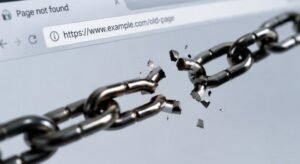
Updating your permalink schema from plain IDs to post names changes every single URL across your domain instantly. Bookmarked links, social media shares, and indexed search results suddenly fail because they still point to your previous path structure.
Performing a full site migration without setting up comprehensive path mapping amplifies this problem exponentially. Thousands of inbound links suddenly drop off, causing immediate traffic dips until proper routing rules are applied across the entire domain.
Server Configuration File Misconfigurations
Backend server directives play an essential role in how incoming web browser requests are interpreted.
A corrupted configuration file like Apache .htaccess or Nginx config can disrupt URL rewriting rules across your entire environment. When syntax errors exist within these control files, the server fails to process incoming requests correctly and defaults to throwing missing page status codes.
Security modules and custom firewall rules inside your hosting panel can also accidentally block access to specific directories. If server permissions are set too restrictively, legitimate visitors get turned away by missing file notices even when the files exist on disk.
Theme or Plugin Conflicts Disruption
Content management platforms depend heavily on third-party code additions to manage dynamic page routing.
Installing a poorly coded plugin or updating an incompatible theme can corrupt the dynamic rewrite rules used by your database. When plugins fight for control over custom post types or URL slugs, internal routing collapses and triggers site-wide broken pages.
Theme overrides that modify default template files can also break standard page queries. Disabling newly added plugins one by one usually helps pinpoint which extension is interfering with your web platform’s core routing engine.
Step-by-Step Fixes for 404 Error on Website
Addressing broken links requires an organized diagnostic strategy to restore smooth user navigation across your platform.

First, run a full site audit using tools like Google Search Console or dedicated link crawlers to compile a complete list of missing addresses. Review your server access logs to distinguish between casual user typos and systematic internal link breaks that require immediate attention.
Second, fix misspelled internal links directly inside your page builder or database editor. For permanently moved or deleted pages, implement clean 301 redirects in your server configuration file or redirect plugin to guide visitors directly to live, highly relevant content.
Finally, flush and rebuild your site permalink settings to refresh system routing caches. Testing your updated paths in an incognito browser window verifies that every request lands on an active page with an optimal response speed.
Frequently Asked Questions
1. How do I fix a 404 error on my website?
You can fix broken links by identifying missing URLs through site audits, correcting internal link typos, and setting up permanent 301 redirects from old paths to live pages.
2. What triggers a 404 error?
Understanding what causes 404 error on website environments comes down to deleted pages, mistyped addresses, permalink changes, corrupted server configuration files, or third-party plugin routing conflicts.
3. Does 404 error mean I was blocked?
No, a 404 status code simply indicates that the requested file does not exist on the server. Outright access blocks and permission denials return HTTP 403 Forbidden status codes instead.
4. Does a 404 error mean the page is permanently gone?
Not necessarily, as a missing page code could be caused by a temporary server glitch, an unhandled domain move, or a simple typo in the address bar rather than permanent deletion.
Turning Dead Ends Into Digital Victories!
Mastering what causes 404 error on website setups puts you in total control of your online presence. By conducting routine site health audits, repairing broken internal links, and setting up proper server redirects, you keep search engine crawlers happy, safeguard your hard-won search rankings, and ensure every single visitor enjoys a seamless browsing experience on your site.