How to Secure a Website from Hackers in With These 6 Steps
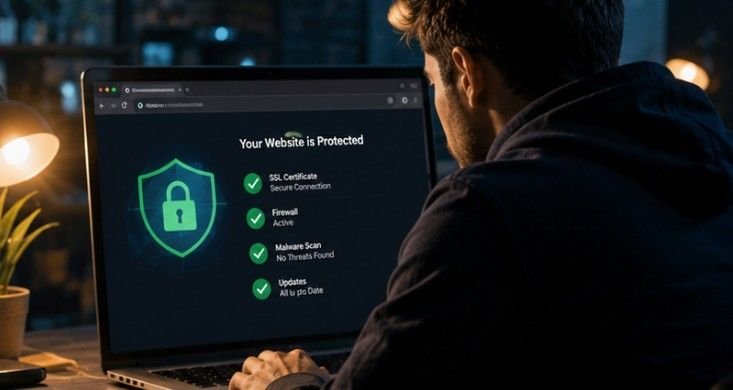
Managing a website feels fantastic right up until a sudden security breach ruins your morning coffee and puts your hard-earned web traffic on the line. Learning how to secure a website from hackers is easily the most critical skill in modern web management. Our team has spent years managing web servers and cleaning up compromised databases, so we know firsthand that proactive defense beats emergency damage control every single time.
To protect your website from hackers, immediately ensure your CMS, themes, and plugins are fully updated. Enforce strong passwords and Two-Factor Authentication (2FA) for admin accounts, configure a Web Application Firewall (WAF) to block malicious traffic, and install an SSL certificate for data encryption. Taking these immediate steps stops the vast majority of automated scripts before they cause harm.
Key Takeaways
- Always keep core CMS files, themes, and extensions updated to close security holes.
- Filter out bad traffic by putting a Web Application Firewall in front of your server.
- Protect admin accounts using strong passwords, custom handles, and mandatory two-factor authentication.
- Enforce SSL certificates across all web pages to encrypt sensitive user interactions and data.
- Create daily off-site backups so you can instantly recover if an emergency occurs.
Core Security Checklist
Building a strong defense requires covering all foundational entry points across your digital footprint.
1. Keep Software Updated
Content management systems like WordPress rely on a foundation of core code, active themes, and third-party plugins. When security researchers discover vulnerabilities in these software components, developers issue patches to close the gaps. Leaving outdated software on your hosting server gives bad actors a clear, documented roadmap to compromise your database.
Routine website management must include regular software audits and immediate patch deployments. Set up automated update schedules for minor patches while manually testing major releases on a staging server. Keeping every single component updated removes the easiest path cyber criminals use to gain unauthorized control.
2. Implement a WAF
Services like Cloudflare route your traffic through a Web Application Firewall, which automatically filters out malicious bot attacks, SQL injections, and DDoS attempts.
A Web Application Firewall acts as an intelligent digital security guard positioned between your web server and incoming visitors. It inspects every incoming web request in real time, inspecting headers and payloads for known attack patterns. Suspicious traffic is immediately dropped or challenged before it ever consumes your server memory or reaches your application logic.
Deploying a cloud-based firewall also shields your actual origin IP address from direct targeting. In addition to stopping dangerous exploit attempts, a quality firewall caches static files to speed up page load times for legitimate users, improving both site security, to clean up WordPress database and overall performance.
3. Enforce Strict Access Control
 Never use “admin” as a username. Use a trusted password manager (such as Bitwarden or 1Password) and require 2FA for anyone managing the website.
Predictable administrative handles and weak passwords account for a massive percentage of successful site break-ins. Automated brute-force scripts continuously test thousands of common password combinations against standard login pages. Changing your default administrator handle eliminates half of the credential equation right away.
Requiring two-factor authentication adds a critical second layer of protection that stops unauthorized entry even if a password leaks. Combine this practice with strict role-based access control so users only receive the exact permissions needed for their daily tasks, revoking access immediately when team members depart.
4. Install an SSL Certificate
This encrypts the data exchanged between your users and your server (enabling HTTPS), ensuring sensitive information like passwords cannot be intercepted.
An SSL certificate establishes a secure, encrypted tunnel between your visitor’s web browser and your host server. Without HTTPS encryption, sensitive information like login credentials, payment details, and personal contact form submissions travel across the internet in plain text, making them vulnerable to interception on public networks.
Search engines actively prioritize encrypted websites and display prominent security warnings on unencrypted pages. Installing and properly configuring an SSL certificate protects user privacy, boosts search engine visibility, and builds immediate trust with your audience.
5. Harden File Permissions
Do not let users upload executable files (like .php) to your server. If users upload images or documents, scan them for malware and limit their file sizes and types.
Unrestricted file upload forms present a massive vulnerability if malicious actors manage to upload executable scripts directly to your storage directories. Conservative server permissions, such as 755 for directories and 644 for static files, ensure that web users cannot modify critical system files or run unauthorized code.
Always restrict file uploads to specific, safe extensions like JPEG, PNG, or PDF, and store uploaded files in non-executable directories. Sanitizing incoming file names and running automated malware scans on incoming files prevents malicious payloads from compromising your entire server environment.
6. Set Up Automated Backups

In the event your site is compromised, regular website backups are your ultimate safety net. Use automated backup plugins or services provided by your hosting provider.
Even the most carefully guarded web applications can face unexpected server failures, corrupted files, or sophisticated zero-day exploits. Having a complete, recent backup ensures that a security incident remains a temporary inconvenience rather than a business-ending disaster.
Automate your backup routine to create daily snapshots of both your database and core files. Store these backup archives in a secure, off-site cloud environment completely separate from your primary web host, and regularly perform test restores to confirm your data remains clean and functional.
Security Plugins
If you are using a CMS like WordPress, consider installing established security plugins like Wordfence or Sucuri Security. These tools provide deep malware scanning, login attempt limits, and instant firewall hardening without requiring advanced coding knowledge.
Integrated security plugins add an internal monitoring layer that constantly inspects your file integrity from inside the application. They automatically track file modifications, detect unknown PHP scripts, and log suspicious user activities directly within your main management dashboard.
These tools also allow you to block specific IP ranges, limit consecutive failed login attempts, and enforce country-based traffic blocking with a few clicks. Using a proven security plugin gives non-technical site managers powerful, enterprise-grade protection tools without requiring complex server scripting.
Step-by-Step Guide: How to Secure a Website from Hackers
Putting your security strategy into action requires a clear, methodical routine that covers every layer of your platform.

First, run an initial security audit across your web host to identify missing SSL headers, outdated software components, and default configuration settings that need immediate hardening.
Second, change all administrative handles, enforce strict password complexity using a password manager, and activate mandatory two-factor authentication for every account with dashboard access.
Third, install a Web Application Firewall and configure an active security plugin to monitor file changes, block malicious IPs, and limit automated login attempts around the clock.
Finally, set up daily off-site backups to an independent cloud storage provider and review active user accounts monthly to remove unused plugins and revoke unnecessary administrative access.
Frequently Asked Questions
1. What do hackers hate the most?
Hackers hate multi-factor authentication, updated software, active firewalls, and encrypted databases because these defensive layers make automated attacks far too time-consuming, expensive, and difficult to execute successfully.
2. How do hackers take down a website?
Hackers take down websites using distributed denial-of-service traffic floods, exploiting unpatched software vulnerabilities in plugins, injecting malicious SQL queries into database inputs, or stealing weak administrator credentials.
3. How much does it cost to make a website secure?
Basic website security can cost zero to twenty dollars monthly using free SSL certificates and built-in security plugins, while advanced enterprise firewalls and managed security services cost fifty to two hundred dollars monthly.
4. Does HTTPS alone fully protect a website?
No, HTTPS only encrypts data in transit between the browser and web server. You still need firewalls, strong passwords, regular software updates, and secure file permissions for complete platform protection.
Bye-Bye Bad Guys: Your Blueprint for Total Site Safety
Mastering how to secure a website from hackers comes down to consistent, proactive website management habits. By combining regular software updates, strong access controls, Web Application Firewalls, and off-site backups, you create an airtight digital defense that keeps bad actors out. Take charge of your site security today to protect your content, preserve your traffic, and keep your business running smoothly.